
eBay image hosting (2026): photos for descriptions & CSV uploads

|
Last updated September 23, 2026
eBay will host 24 gallery photos you drag into listings, but if you want to add images via bulk CSV upload or in your listing description, they need to be hosted by an external host such as Img.vision.
eBay’s Picture Services (EPS) is eBay’s technical-minded developer service for hosting gallery images, but can’t be used for description images, bulk CSV uploads or cross-listing on multiple marketplaces.
Free image hosts like Imgur etc. make it hard to find the direct image link and their image delivery network is not configured to recognize eBay bot traffic downloading images, so they throttle eBay and your images fail to attach to listings.
Quick summary
| Image type | Who hosts it | What you need |
|---|---|---|
| Gallery photos (up to 24 per listing) | eBay (eBay Picture Services) | Just drag images into the listing |
| Images in the listing description | Not eBay, a marketplace image host | A marketplace image host like Img.vision |
| Bulk CSV uploads | Not eBay, eBay grabs images from external image links | External hosted images using permanent direct image links to paste into the CSV |
| More than 24 photos in one listing | Not eBay | Marketplace image hosting so you can embed them in the listing description |
| Cross-listing photos on other marketplaces | Not eBay | One marketplace image host hosting all images for all your channels |
Troubleshooting: Fix common eBay image problems
If your listing photos won’t upload, don’t show after publishing, or your image links get rejected, start here. These guides cover the most common eBay image failures sellers run into (and the fastest fixes).
Upload & submission issues
If eBay photos won’t upload, keep failing with a “Try again” error, or get rejected during bulk uploads, the issue is usually caused by image format, size limits, or how eBay validates image URLs. This section explains the most common eBay photo upload failures and shows how to fix them quickly, including why eBay rejects externally hosted image URLs used in CSV files, APIs, and bulk listing tools.
After publishing / relisting
Images that disappear after publishing or relisting are often caused by broken external links, temporary image hosting, or eBay re-checking image accessibility. Here we explain why eBay images stop showing after publishing, how to fix missing or broken photos, and why relisting can remove images, plus how to prevent it from happening again.
Description HTML & photo rules
eBay applies strict rules to images used inside listing descriptions, which can cause embedded photos to vanish without warning. This section explains why embedded images don’t display in eBay descriptions, which HTML and image sources are allowed, and what eBay’s photo policy permits when it comes to watermarks, text overlays, and logos.
Why does eBay limit you to 24 images?
They made the choice because they are not an image delivery service, they don’t specialize in offering a an image delivery (CDN) service. Their main focus as a business is to provide a marketplace.
Offering specialized eCommerce image hosting means you need to have storage servers, a great easy-to-use image management dashboard and fast and reliable image delivery network. This stuff costs money and distracts them from their main focus. Another good example of how eBay does not focus on image hosting, is that images by default expire after 90 days, meaning you need to reupload them.
How to add images into the listing description?
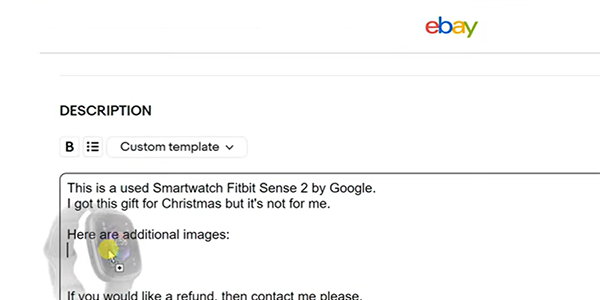
Option 1: Drag & Drop images into your listing description
Upload your photos to a marketplace image hosting like Img.vision. Then preview the image in your dashboard. Drag and drop the preview into the listing description box. eBay will detect the full-sized direct image link and embed it in the description.
Read up on how to drag & drop images into your eBay listing (desktop only) or watch the video.
Option 2: Paste image embed code into the description box when its HTML mode is turned on
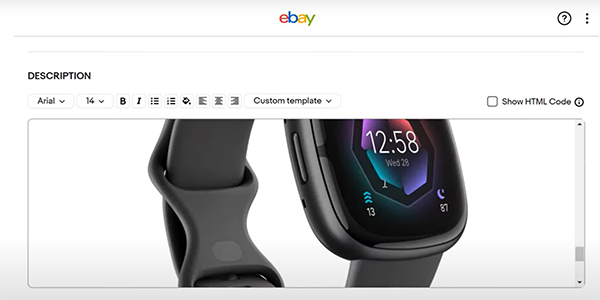
An image host like Img.vision offers HTML embed code after you upload an image. Select all the images you want to add, copy the generated embed code. Go into your listing, activate the HTML Code mode of the description box (this is a converter that converts everything in the description box into its HTML code), paste the embed code. You can then switch off the HTML Code of the description box to see the final result, before you publish the listing.
You can get the steps to how to add a couple of extra images to your eBay listing or watch a step by step video here.
Option 3: Add photos in bulk by pasting the photo gallery embed code into the description box when its HTML mode is turned on
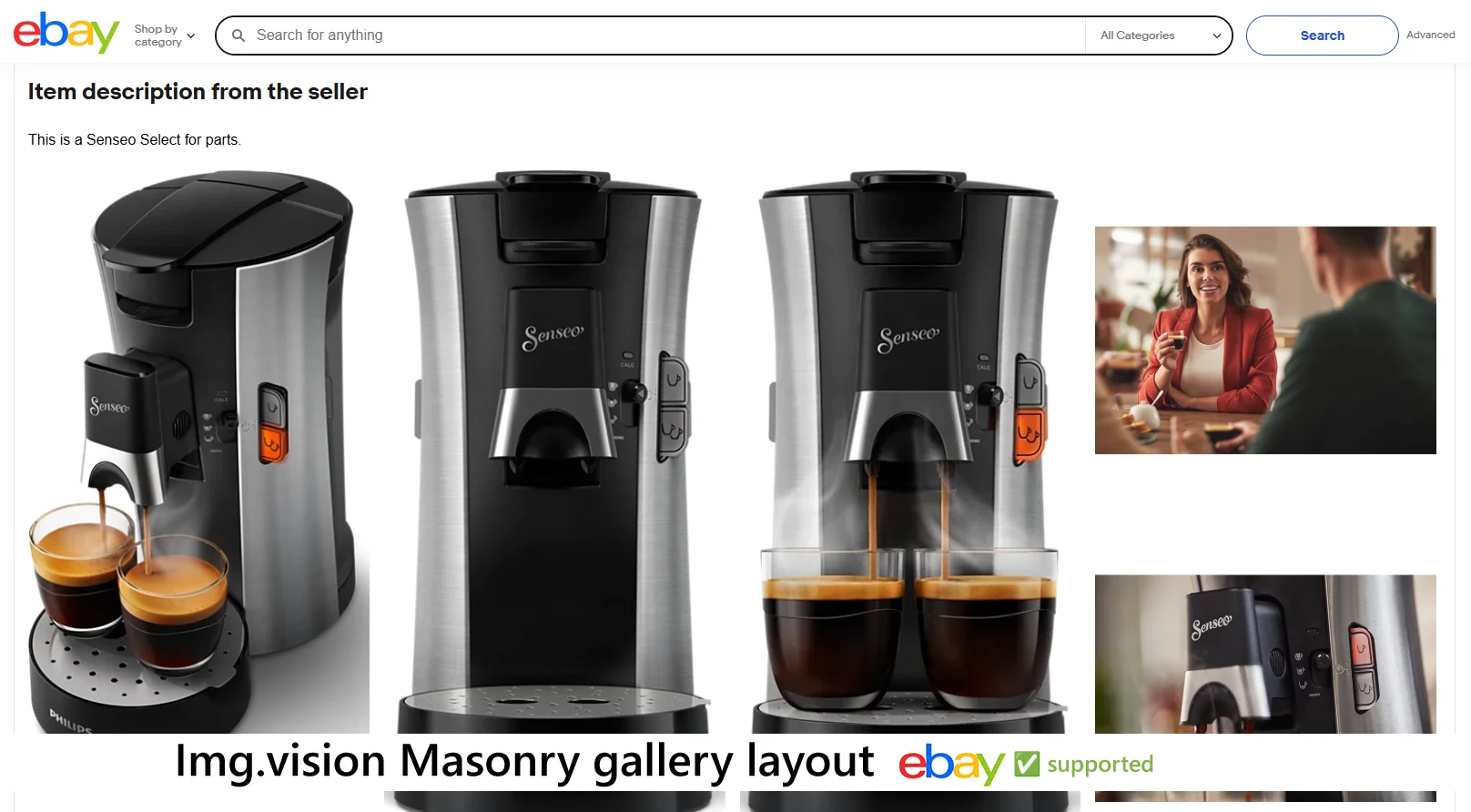
Option 2 embeds your images one after another in the description box. You can also use Img.vision to generate photo gallery code that is compatible with eBay and shows your images a sales-boosting way.
eBay doesn’t allow active code (JavaScript) in the HTML code you paste into the description box, but Img.vision offers photo gallery code that doesn’t include any, and still is interactive to visitors.
Here is a step by step guide how to add an image gallery to your eBay listing, or watch the video.
How to manage listings (and images) in bulk?
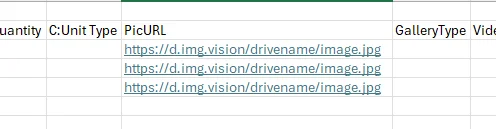
The above section explains how to add images to your listings manually, in your browser, by opening each listing. You can also manage your listings (and images) in bulk.
The thing you need is Seller Hub Reports. You can upload spreadsheets/flat files (xlsm, xlsx, txt, csv files) which contain your products in bulk. The file contains all your listing information and configuration.
If you need permanent image URLs for eBay bulk uploads, listing descriptions, or marketplace integrators, see our dedicated eBay image hosting solution built for hobby to high-volume sellers.
You must use external image hosting to host your product photos. You link to them from within the spreadsheet/flat file. eBay then downloads them when you upload the spreadsheet to eBay, and adds them to your listing.
Other method of bulk listing management are the eBay Bulk Listing Tool (your browser acts like one big spreadsheet), listing management apps (you do everything on their website instead of on the eBay site) (note that these services can sometimes shut down unexpectedly, Inkfrog shutdown on June 1, 2026 and they didn’t offer customers a way to download their product photos), you can build your own software to do it using the eBay APIs, or using the feed-based integration method which is called the Merchant Integration Platform (this last one is targeted at large sellers with large catalogues moving fast).
Why you shouldn’t use a cloud drive like Dropbox or Google drive
If you use an external image host, take care to check the url structure of the images after uploading them. The biggest pitfall of new eBay sellers is that they don’t realize they need to use an image host that specializes in marketplace image hosting and thus has static image urls.
Cloud drives like Dropbox, OneDrive, Google drive, etc. they offer hosting of files, but their image links are dynamic. That means that they can expire, they don’t follow a readable static format that may confuse marketplaces, causing images to be rejected or even deleted from listings.
Independent image host tracking has found that cloud drives perform really bad performance-wise. They serve images really slowly, which can make eBay’s bots give up on downloading the image.
Img.vision integration options for eBay marketplace
These are the verified Img.vision integration options for the eBay marketplace:
- ✅ Embedding images in the description
- ✅ Embedding HTML+CSS gallery
- ✅ CSV product uploads
- ✅ Excel (.xlsx) product uploads
- ✅ Excel macro-enabled workbook (.xlsm) product uploads
- ✅ Tab-delimited text (.txt) product uploads
- ✅ XML product uploads
Image formats supported by eBay
The following image formats are supported through bulk product uploads by eBay. Next to the eBay supported formats, the supported formats of Img.vision are listed. You can use Img.vision for your bulk uploads if there is a checkmark in both columns.
| Format | eBay | Img.vision |
|---|---|---|
| JPG | ✅ | ✅ |
| JPEG | ✅ | ✅ |
| PNG | ✅ | ✅ |
| GIF | ✅ | ✅ |
| HEIC | ✅ | ✅ |
| WEBP | ✅ | ✅ |
| AVIF | ✅ | ✅ |
| TIF | ✅ | ✅ |
| BMP | ✅ | ✅ |
Bulk image upload size limit
When uploading products in bulk, you need to adhere to this file size limit for each individual image. If you are referencing images that exceed the maximum limit, the bulk product upload will fail.
| File size limit: | 12 MB |
|---|---|
| Recommended maximum file size: | 7 MB |
Supported image dimensions
eBay recommends 1:1 ratio or 16:9 ratio images of at least 500 by 500 pixels, preferrably at least 1600 by 1600 pixels. All the major image formats are supported, the good old JPG will be your best friend.
Deep dive into the best eBay image dimensions for each case.
Countries you can sell to
You can sell on eBay to the following countries:
AustriaAustraliaBelgiumCanadaSwitzerlandGermanySpainFranceHong KongIrelandItalyMexicoMalaysiaNetherlandsPhilippinesPolandSingaporeUnited KingdomUnited States
FAQ
Can eBay host my listing images?
eBay can host your listing’s gallery images, up to 24 images. Images for in the listing description and images for bulk CSV/flat file uploads cannot be hosted by eBay and require external marketplace image hosting.
What is eBay Picture Services (EPS)?
This is eBay’s internal listing gallery images hosting service. It can’t be used for images in your listing description or bulk CSV/flat file uploads.
Is there free image hosting for eBay?
There are free image hosts, but they are not configured to recognize and allow eBay bot traffic to download images. eBay is also known for blocking certain free image hosts or throttling them. The risk is that your listings go online without their images and you have plenty of work of manually fixing it. Getting a direct image link is notoriously difficult at free image sites, since they want people opening the link to see an image page with ads. Permanent links are also an issue: images at free hosts expire automatically, meaning you need to reupload them.
How many photos can I have in an eBay listing?
eBay allows you to have up to 24 photos in the listing gallery. But using an external host you can add unlimited photos in the listing description.
How do I add more than 24 photos to an eBay listing?
You can add more than 24 photos to an eBay listing by relying on a marketplace image host to host the extra images and copy their embed code into the listing description.
Why won’t my photos upload to eBay?
Common causes are size limitations, format issues, or even an eBay outage. Our troubleshooting guides can help you further.
Can I add or change pictures after a listing is published?
Yes, you can. Use the Revise action for a single listing, or the Edit action for multiple listings.
Can buyers enlarge/zoom photos on eBay?
Yes, but the uploaded image needs to be of high enough quality. See our size and dimensions guide.
Does eBay remove EXIF/metadata from photos?
EXIF/metadata can contain sensitive information about you, like GPS coordinates. eBay scrubs this when you upload images. A marketplace image host like Img.vision also scrubs images of EXIF/metadata.
What happens to my eBay listings if my listing software shuts down?
Your live eBay listings stay up, but anything that software was hosting on your behalf (template graphics, banners, gallery images) goes dark. Inkfrog’s June 2026 shutdown is the current example. Hosting your product images independently from your listing software is the way to avoid this.