
This article explains how to cancel your Img.vision subscription.
⚠️ Warning: These are the cancellation steps for our service Img.vision at www.img.vision, we are not in any way affliated or related to Images.net.
Steps
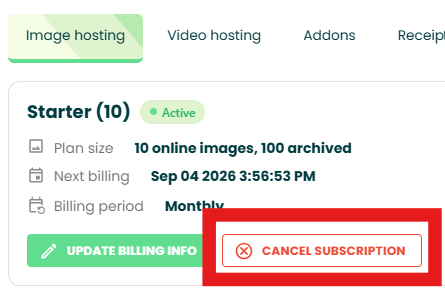
1. Click the cancellation button in your Img.vision dashboard
Login to your Img.vision account.
Go to the billing page from the left sidebar.
Choose from Image Hosting, Video Hosting or Image Editor and click the red Cancel subscription button.
2. Complete the cancellation survey (required)
Clicking the button opens the cancellation survey, complete and submit it. (You have to complete the survey to continue)
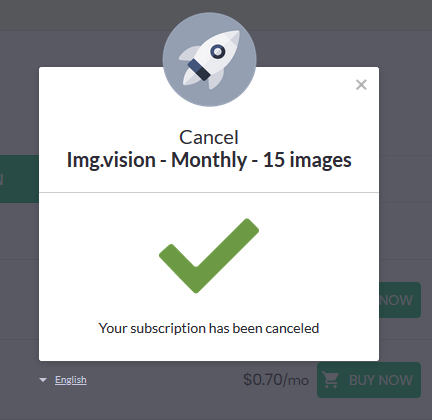
3. Confirm the cancellation (legacy billing system only)
If you subscribed before August 4th 2026, you will see Paddle’s cancellation dialog where you can click Cancel Subscription.
Customers who subscribed after that date won’t need to press an additional button, the cancellation will be processed.

Your subscription is now successfully cancelled, you won’t be charged again: