

What if I have a VAT number and qualify for tax exemption?
If you have a valid VAT number, you can enter it during checkout.
On the checkout window you can find the place to do this on the left hand side:
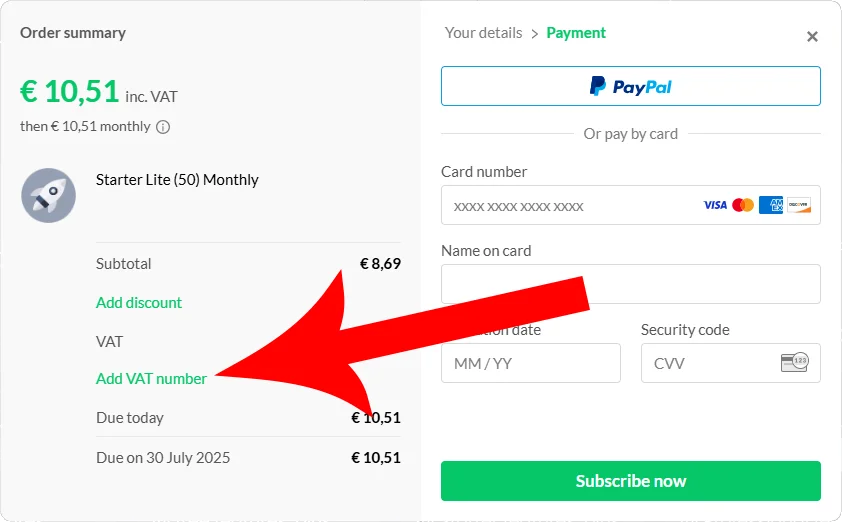
Depending on your country, this may automatically exempt you from paying VAT on your purchase.
Forgot to enter your VAT number?
No worries! If you didn’t enter your VAT number during checkout and were charged VAT, you can still update your invoice afterward, follow these 3 steps depending on whether you subscribed before August 4th 2026, or after:
Current billing system (you subscribed after August 4th 2026)
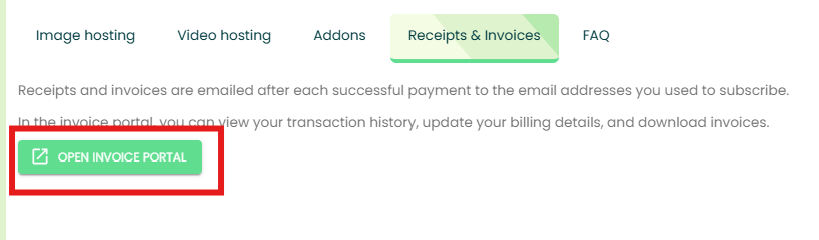
Step 1: Open the Invoice portal on the Billing page
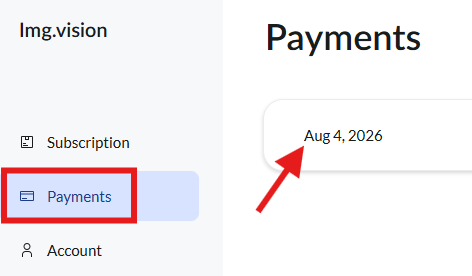
Step 2: Go to Payments in the menu and select your payment
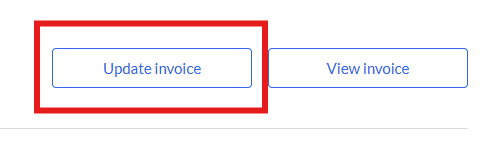
Step 3: Click the “Update invoice” button
Step 4: Fill in the form
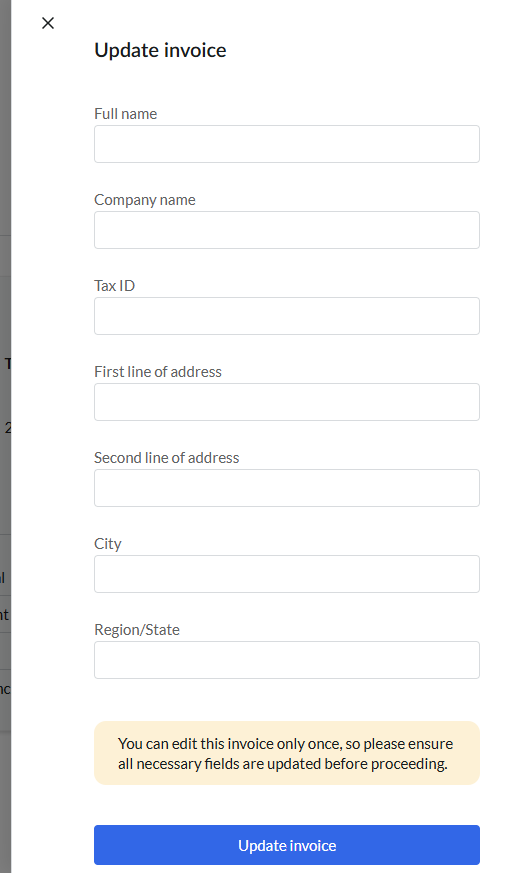
Legacy billing system (you subscribed before August 4th 2026)
Step 1: Open your payment confirmation email and click the receipt button
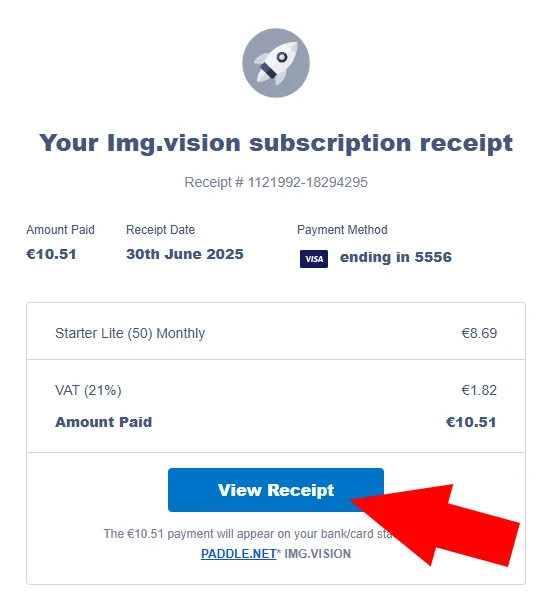
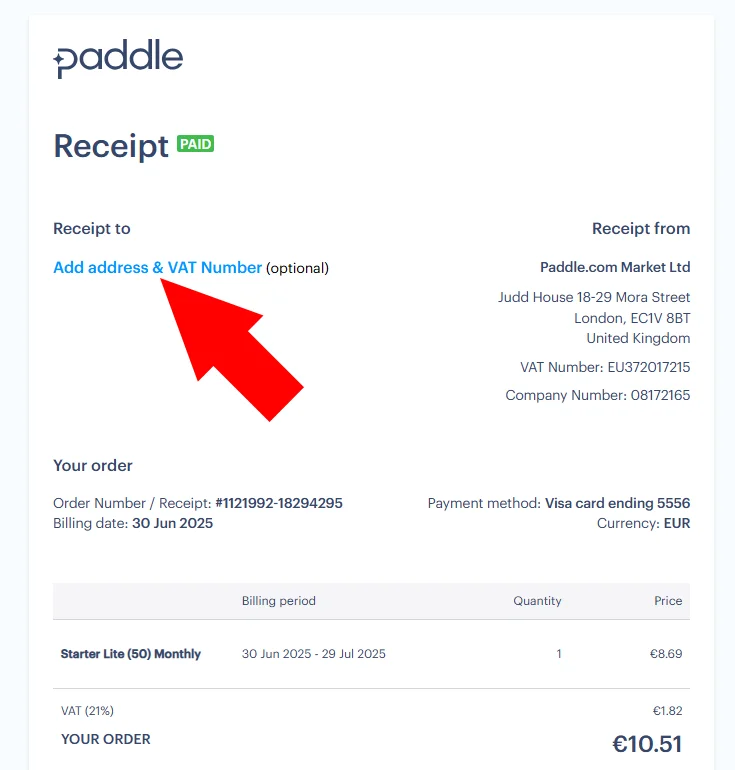
Step 2: Click the “Add address & VAT Number” link
Step 3: In the popup, tick off “business purchase” and fill in the VAT number and company name
Also fill in the address details.

Step 4: The receipt will be turned into a VAT invoice
Paddle, our payment provider, will automatically refund the VAT amount to your original payment method.
⚠️ VAT refund deadline: 60 days only
You can add your VAT number to the receipt after checkout to request a VAT refund, but this must be done within 60 days of the purchase date. Unfortunately, Paddle does not allow a VAT refund of older invoices.
Future payments
Once you complete the process once, the business information is linked to your subscription and will be reflected in all future invoices and renewals.
