

eBay requires a minimum of 500px on the longest side for listing photos. eBay recommends 1600px or larger to enable the zoom feature. Maximum file size is 12MB.
What this page covers
Quick summary
| Image type | Dimensions | File size limit |
|---|---|---|
| Listing photo (minimum) | 500px longest side | 12MB |
| Listing photo (recommended) | 1600 x 1600px | 12MB |
| Store billboard | 1280 x 290px | 12MB |
| Store logo | 300 x 300px | 12MB |
| Marketing banner | 640 x 640px | 12MB |
| Banner collection | 640 x 360px | 12MB |
| Gallery Plus search result | 400 x 400px (auto, no upload) | – |
eBay listing photo content rules
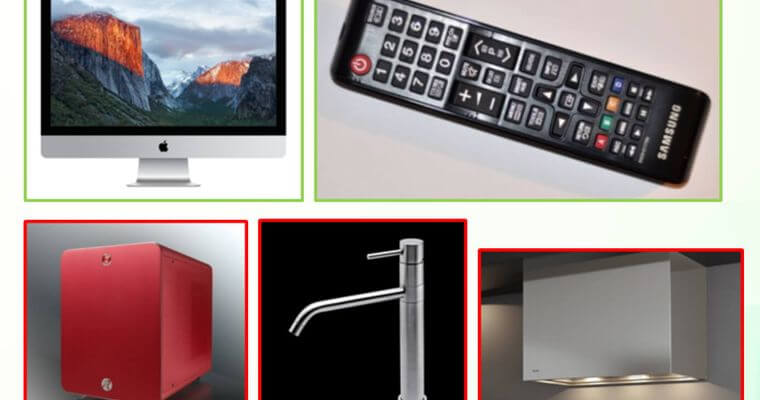
The images you put on eBay should be a realistic photo of the product. It’s not allowed to put other products in the picture or start manipulating the product. Also take care not to show your hands and arm holding the product, the product should be depicted as neutral as possible.
Here are thorough guidelines by eBay about how your images should look.
eBay listing photo size
The minimum photo image dimensions are 500×500 pixels. There are no officially documented maximum dimensions, but extremely large dimensions will likely fail, also take into account the filesize limitation if you have a really large photo.
The best advice for ebay image size is to use photos that are 1600-1600 pixels, that’s also what eBay recommends.
Photos with aspect ratio 1:1 or 16:9 appear the best. How do you calculate the aspect ratio? Divide the width by the height. A 16:9 ratio is around 1.778.
eBay accepts image files up to 12MB, so make sure the photo is not too big. You can find free online compression tools online to shrink files, usually without any visible quality loss.
eBay store photo sizes
- Billboard should have a size of 1280 x 290 pixels. This is a 22:5 ratio. It should be smaller than 12MB.
- Logos and featured category images should have a size of 300 x 300 pixels. That’s a 1:1 ratio. It should also be smaller than 12MB.
- Marketing banner images should also have a 1:1 ratio with 640 x 640 pixels and be smaller than 12MB.
- Banner collection images should be 640 x 360 pixels.
Gallery Plus search result image
The listing Gallery Plus addon causes a larger picture to be shown in search results of 400 x 400 pixels. The default is 96 pixels.
You do not need to upload (and you actually cannot upload) this image separately, eBay automatically selects the main image from your listing.
Image formats allowed on eBay
The image formats that are supported on eBay are:
- JPEG
- PNG
- GIF
- TIFF
- BMP
- WEBP
- HEIC
- AVIF
My advice is to use the JPEG image format for eBay, it’s a format with compression and built for showing photos well.
Read my full guide on whether to choose JPG or PNG.
Improve sales through images
You can use an external image hosting service to place more images in the item description. It’s perfectly allowed and it boosts sales.
If you’re using external image URLs for CSV imports, or adding images to the listing description, those URLs need to stay live and pass eBay’s crawler. Check out our eBay image hosting for this.
FAQ
What is the minimum image size for eBay listings?
eBay requires a minimum of 500px on the longest side. Images below this threshold will be rejected during upload. Square images (500 x 500px) meet the minimum, but the zoom feature will not be available at this size.
What image size does eBay recommend?
eBay recommends 1600 x 1600px. At 1600px or larger on the longest side, eBay activates the zoom feature, which lets buyers magnify product details. Most sellers use 1600 x 1600px as their standard because it meets the recommendation without creating unnecessarily large files.
What aspect ratio works best for eBay listing photos?
1:1 (square) and 16:9 (widescreen) display best. Square images fit cleanly in eBay’s search grid and listing view. A 16:9 ratio works well for products that are naturally wider than they are tall. To check your ratio, divide the width by the height: a 1:1 image gives 1.0, a 16:9 image gives approximately 1.78.
What is the maximum file size for eBay images?
12MB per image. If your photos exceed this, compress them before uploading. Standard JPEG compression at high quality typically brings a 1600 x 1600px photo well under 12MB without visible quality loss.
What image formats does eBay accept?
eBay accepts JPEG, PNG, GIF, TIFF, BMP, WEBP, HEIC, and AVIF. JPEG is the most reliable choice for product photos. It handles compression well and is universally supported across eBay’s systems.
Does image size affect eBay zoom?
Yes. The zoom feature only activates on images that are 1600px or larger on the longest side. Below that threshold, buyers see the image at a fixed size with no ability to zoom in. Since buyers often zoom to check condition, labels, or fine detail, images under 1600px can reduce buyer confidence.
What size should eBay store images be?
Store image sizes vary by placement. The billboard should be 1280 x 290px. Logos and featured category images should be 300 x 300px. Marketing banners should be 640 x 640px. Banner collection images should be 640 x 360px. All store images have the same 12MB file size limit as listing photos.
What size is the Gallery Plus image in eBay search results?
Gallery Plus displays your main listing image at 400 x 400px in search results, compared to the default 96px thumbnail. You cannot upload a separate Gallery Plus image. eBay automatically uses the main listing photo and scales it to fit. To get the sharpest result at 400 x 400px, your main image should be at least 800px on the longest side.
