

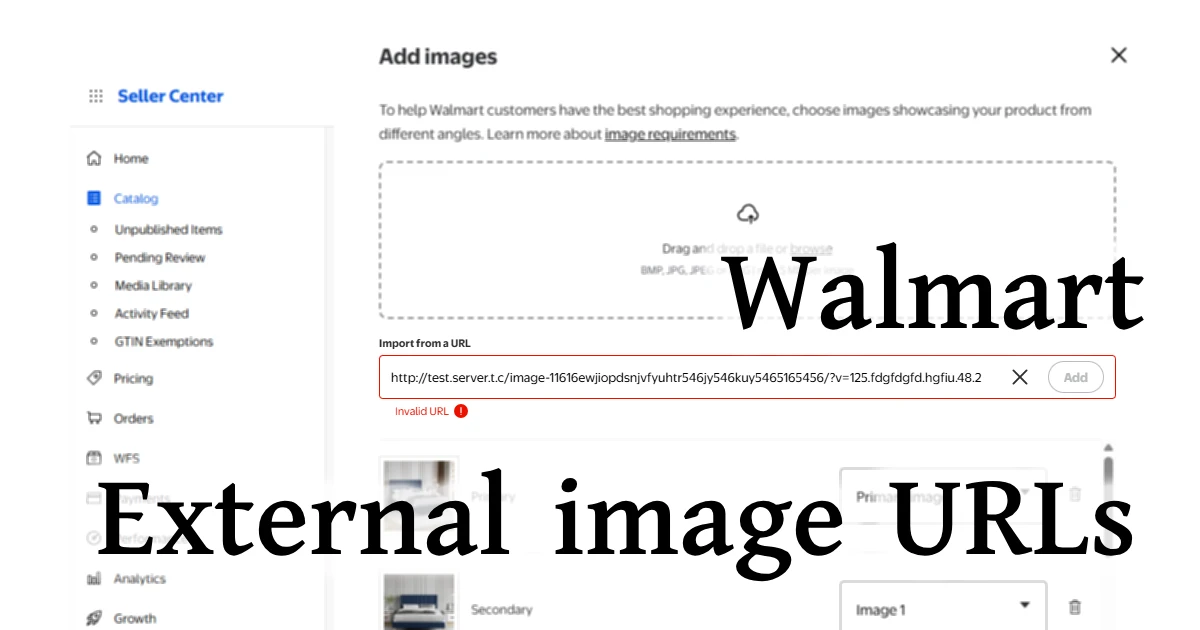
A technical guide for marketplace sellers
When Walmart rejects external image URLs during setup, feed upload, or API submissions, the error is often cryptic: “Invalid URL”, “Image could not be downloaded”, “Unsupported hosting”, “Access denied”, or simply disappearing images in Item Spec.
But behind these vague messages are very strict rules. Walmart’s image ingestion pipeline only accepts URLs that meet a precise combination of domain, format, protocol, speed, and caching requirements. If any of these conditions fail, even temporarily, your image link gets rejected.
This guide explains why Walmart blocks many external URLs, how the ingestion system actually works, and how to generate Walmart-approved direct image links that always pass.
What this page covers
1. Walmart’s Strict Image Ingestion Pipeline
Unlike platforms that fetch images “on demand”, Walmart pulls (ingests) your image once, caches it, transforms it, and stores a permanent internal copy.
That means:
✔️ Walmart must be able to download your image instantly
If the URL doesn’t respond fast enough, Walmart gives up and fails the ingestion.
✔️ Your hosting setup must be compatible with automated fetchers
Typical CDNs are built to trust humans using a browser; they block traffic with an unknown or missing user agent identification, block crawlers/bots, or block traffic because too many image files are being requested in bulk.
✔️ The URL must return the image file directly
The link must immediately return an image with a correct HTTP 200 response and valid image headers: no HTML pages, authentication steps, or multi-step redirects.
This ingestion process is extremely sensitive, which is why so many sellers have issues with hosted images.
2. Blocked or Untrusted Domains
Walmart automatically rejects URLs from several hosting categories:
❌ Social media (Instagram, Pinterest, Facebook, etc.)
They don’t allow embedded images or stable direct links.
❌ Imgur / postimage / Flickr
Some free hosts throttle requests, inject HTML wrappers, or block automated fetchers, causing Walmart’s ingestion to fail silently.
❌ Link shorteners or tracking links
bit.ly, goo.gl, branded shorteners, or anything that masks the real host.
❌ Domains that rotate URLs
If the path contains expiring signatures (Expires=, X-Amz-Signature=, timestamps), Walmart rejects it.
💚 Walmart prefers stable CDN origins
Static, direct domains like i.imgur.com can work, but are unreliable due to rate limiting, bot deflection and inconsistent headers. Marketplace optimized image CDNs like that of Img.vision work because they return a clean, permanent image, and they detect marketplace fetchers and treat them with care.
3. CDN Compatibility Requirements
Walmart’s ingestion crawler acts more like an automated downloader than a browser.
It expects:
✅ A 200 OK response
Anything else fails: 301/302/307/308 redirects, even if they are correct.
✅ A standard MIME type
image/jpeg or image/png
Wrong or missing MIME types get rejected.
✅ No cookies, tokens, or headers required
The Walmart crawler does NOT send custom headers.
✅ Static URLs, not unique per request
If your CDN regenerates optimized URLs or returns a different image variant based on user agent, Walmart flags it as inconsistent.
Walmart’s ingestion bot is unforgiving, many CDNs that work everywhere else fail here.
4. URL Timeout Problems (A VERY Common Reason for Rejection)
Walmart’s image fetcher has an aggressive timeout window, much shorter than Google, Amazon, or eBay.
If your image server/CDN:
- responds slowly
- is under load
- is far from Walmart’s US ingestion datacenters
…then Walmart can fail the image download.
This is why cheap hosting, shared servers, or unoptimized CDNs cause frequent image failures.
5. Query String Problems
Walmart frequently rejects URLs with:
❌ Tracking parameters
Parameters such as utm=, ref=, or analytics IDs often trigger unexpected redirects, cache bypassing, or non-image responses during ingestion.
❌ Expiring or signed URLs
Pre-signed image URLs (AWS S3, CloudFront, Google Cloud, Cloudflare R2, etc.) are not supported. Walmart fetches images once and does not refresh or re-authorize access.
❌ Dynamic cache-busting query strings
Everything after ? can break ingestion unless it is extremely simple and permanent.
Recommendation:
For maximum reliability, serve images from clean, permanent, extension-based URLs with no query parameters. While simple static parameters may sometimes work, removing query strings entirely produces the highest ingestion success rate.
6. HTTPS and Redirect Issues
Walmart requires:
✅ HTTPS
No HTTP allowed: hard fail.
✅ Max 1 redirect
A single redirect is fine, but if you have 301 → 302 → 200 sequence it will cause an ingestion failure.
✅ Avoid URL rewriting or normalization
If your CDN rewrites paths (for example, normalizing case or modifying the requested URL before serving the image), Walmart may treat the response as inconsistent and reject it.
✅ No www → non-www or vice-versa redirects
Walmart will typically only follow 1 redirect, so if the link redirects from www to non-www or vice-versa, and there’s another redirect related to the link itself, the ingestion will likely fail.
Because Walmart’s ingestion bot does not behave like a browser and does not retry aggressively, any ambiguity in redirects or URL handling significantly increases the chance of image rejection.
7. How to Generate Walmart-Accepted Direct Image Links
To guarantee Walmart will accept your images, your URLs must follow all of these rules:
1. Clean, permanent URL
Example: https://d.imgvision.net/yourDrive/image.jpg
2. Direct file response
Opening the URL should download or display the image instantly.
3. No redirects
Your CDN must deliver 200 OK on the first request.
4. No query strings
No tokens, signatures, or tracking codes, unless very simple and permanent.
5. Fast global CDN
The response must be under Walmart’s timeout threshold.
6. Publicly accessible
No authentication or cookies.
7. Correct MIME type
image/jpeg or image/png
8. Stable domain
Never change the host or folder structure.
If a seller follows these rules, Walmart ingestion becomes reliably error-free.
8. Why Services Designed for Walmart Work Better
Platforms like Img.vision work especially well for Walmart sellers because they:
- use dedicated domains pre-tested with Walmart’s ingestion system
- avoid redirects entirely
- respond fast
- deliver stable URLs without query parameters
- return correct MIME types
- deliver the image in its original file type (no auto-conversion of JPGs to WebP)
- detect Walmart’s crawler and treat it with high priority instead of deflecting bot traffic
And crucially:
They are built specifically to survive Walmart’s harsh image ingestion requirements.
Conclusion
Walmart doesn’t “hate” external image URLs.
It just has a fragile, highly strict ingestion pipeline and if your link deviates even slightly, Walmart might silently reject it.
By generating direct, permanent URLs using a marketplace-optimized CDN, you guarantee that your images upload correctly on the first try, whether via feeds, API, or full item setup.
